How to Make a T-Shirt Mockup Without Photoshop
One design, five shirt colours, one click, in a browser tab. Here is a real run, what came out, and what it taught us about the design file.
Quick Answer: Open the T-shirt mockup generator. Five blank shirts (cream, black, heather grey, navy and sage) are already selected. Add your design as a transparent PNG and press Generate 5 mockups. In our run that took 4.6 seconds for five 2,048 x 2,048 JPEGs, with no watermark and nothing uploaded. Check that the design still reads on the dark shirts before you list it.
The Photoshop route to a shirt mockup is a template PSD, a Smart Object, a displacement map and a colour fill per shirt. It produces excellent results and it is a lot of steps for one listing photo. If what you need is “my design on the shirt colours I sell, today”, a browser generator gets you there with no install and no account.
The run: one design on five shirt colours
We drew a simple test design for this guide, a sun-and-mountains badge with “GO OUTSIDE” lettering, and exported it as a transparent PNG at 3,600 x 4,800 px. Then:
- Opened /mockups/t-shirt. The page loads the five shirt templates and a sample design, so the live preview works before you add anything.
- Added the PNG with Upload designs. Your own artwork replaces the sample, so the batch stays at 1 design x 5 shirts = 5 outputs, which is exactly one free batch.
- Checked the live preview. The print area is set on the chest; Adjust this combination moves or scales the design for one shirt without touching the others.
- Pressed Generate 5 mockups. Defaults: JPEG at 90% quality, 2,048 px on the long edge, files named
{design}-{template}.
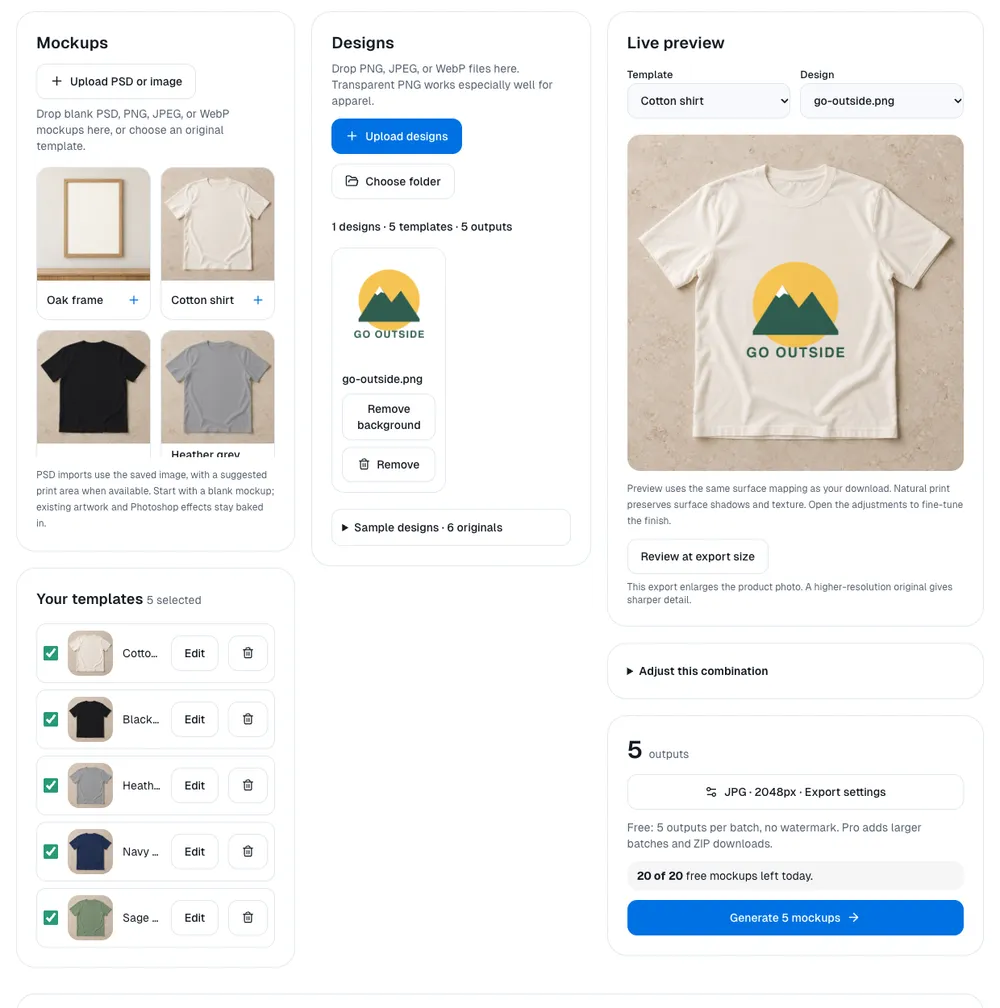
The five mockups finished in 4.6 seconds (headless Chrome on an Apple M4 Mac, measured from the click to the last saved file). Each JPEG is 2,048 x 2,048 px and 430-610 KB. The counter above the button went from 20 to 15 free mockups left for the day.
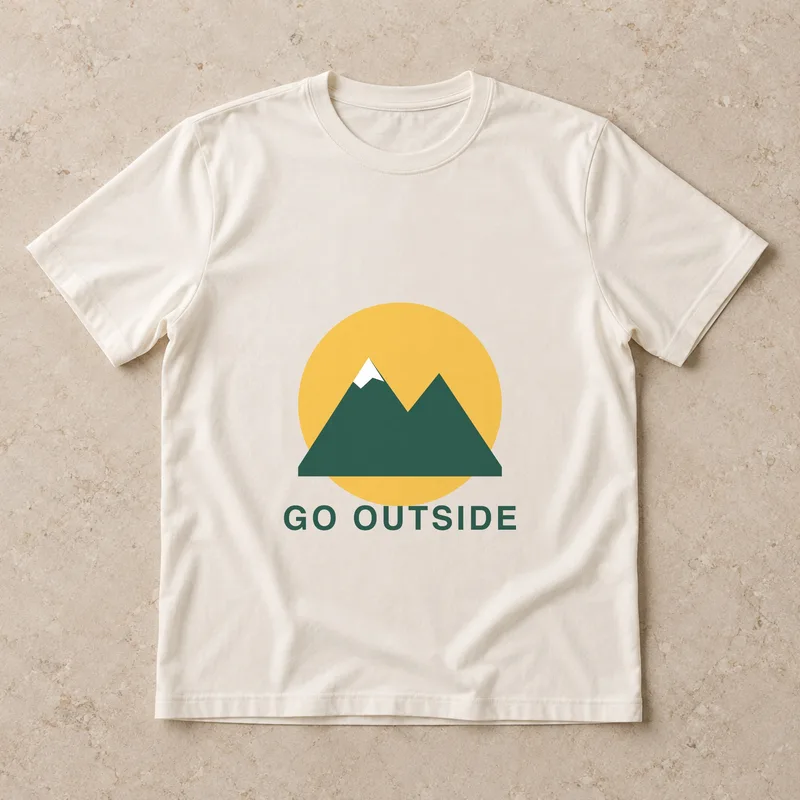
Cream: every part reads
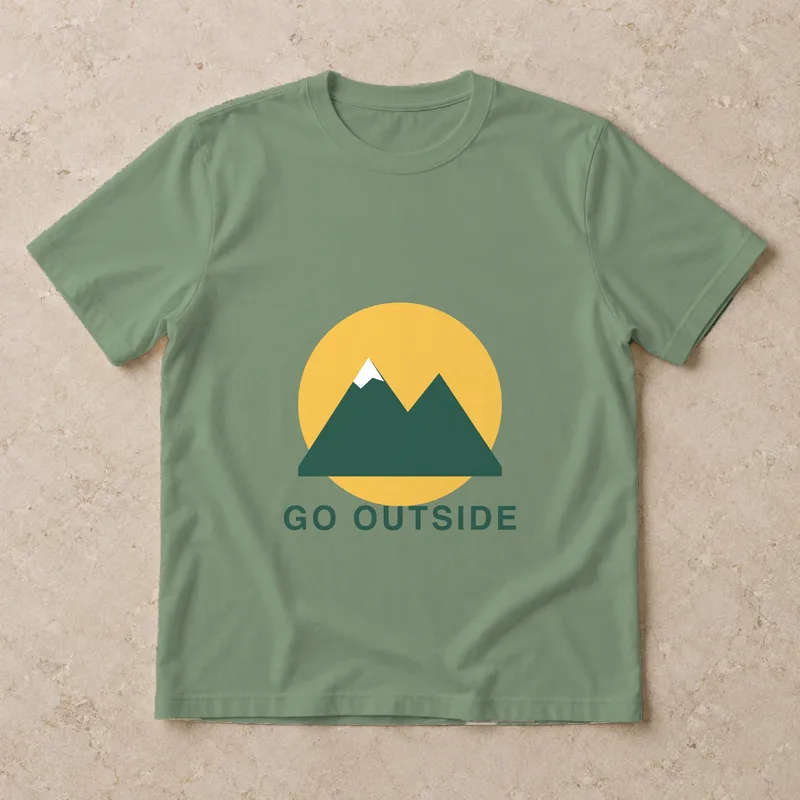
Sage: readable, softer
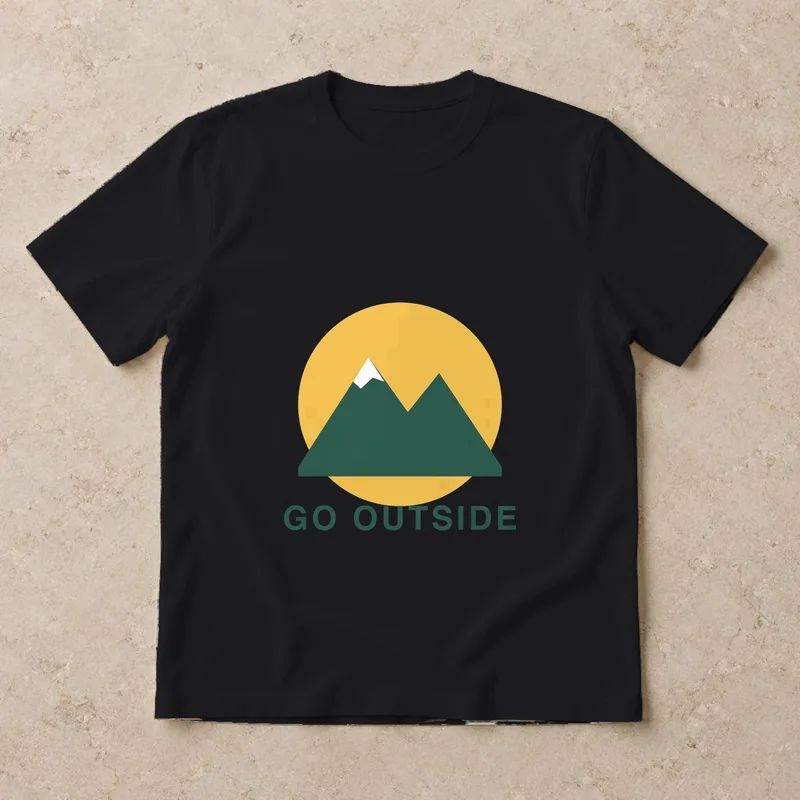
Black: the lettering nearly vanishes
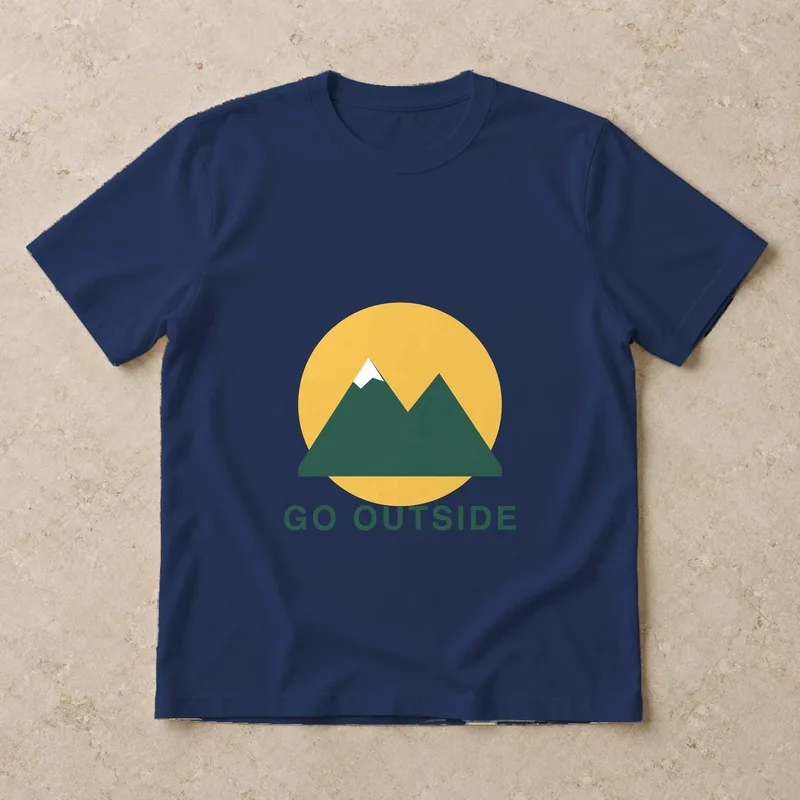
Navy: same problem
What the run showed
- The mockup is honest about contrast, and that is the point. Our dark green lettering looks fine on cream and almost disappears on black and navy. A mockup batch across every colour you sell is the cheapest way to catch that before a customer does. The fix is in the design (a light-ink version for dark shirts), not in the mockup.
- Transparency matters more than anything else. The design is a transparent PNG, so only the artwork prints. A JPEG would have put a white rectangle on every shirt.
- The fabric does the realism. The shirts' folds, collar and texture come from the scene and shade the print, so it reads as printed rather than pasted. It is an image-based approximation, not a 3D simulation: a deep fold across the chest would not wrap convincingly.
- All five shirts are one scene. The colours are dyed variants of the same flat-lay, an original image generated for Backgroundless, so the design sits in exactly the same place on each, which is what you want for a row of colour swatches in a listing.
Want a worn shirt or your own blank?
The starter set is flat-lays only: the scenes were generated for Backgroundless, and we do not have an on-model one. The shirt scene is 1,254 px square, so the 2,048 px outputs are enlarged from it; that is fine for colour previews, but for a sharp main listing photo use your own high-resolution blank. To show a design on a person or on the exact blank you sell, upload a photo of it with Upload PSD or image, place the four corners of the print area and choose the fabric surface. The template is kept in your browser, so the next design is one click. Photoshop PSDs are accepted too, with one limit: the tool reads the PSD's saved image, not its live Smart Object.
Free vs Pro for shirt mockups
Free: up to 5 mockups per batch and about 20 a day in one browser, no watermark, one download at a time. That covers one design across five colours four times a day. Pro raises a batch to 500 with no daily cap and downloads everything as a ZIP with a folder per design, which is the version for a drop of 30 designs. Pro is sold as Pro Lifetime (one payment) or Pro Annual (yearly, with Cloud Space to keep your template sets); see pricing. For more products than shirts, see Etsy mockups in bulk.
Frequently Asked Questions
Can I make a T-shirt mockup without Photoshop?
Yes. A browser mockup generator places your design on a blank shirt photo, bends it with the fabric and keeps the photo's shadows. In Backgroundless you open the T-shirt mockup generator, add a transparent PNG and press Generate; there is no Smart Object to edit and nothing to install.
Is it really free, without a watermark?
Free mockups have no watermark. A free batch makes up to 5 mockups and a browser can make about 20 a day; the count resets at midnight. Pro (Pro Lifetime once, or Pro Annual yearly) makes up to 500 per batch with no daily cap and a ZIP download.
Which file should my design be?
A transparent PNG. JPEG has no transparency, so its white or coloured background prints as a box on the shirt. If your design has a background, remove it first, or press Remove background on the design inside the mockup tool.
Can I use my own shirt photo?
Yes. Upload a blank shirt photo, place the four corners of the print area once and choose the fabric surface. The template is saved in your browser and reused for every later design.
Keep Reading
- Transparent PNG at 300 DPI for Print on Demand - check the file is big enough before you print
- Remove Background for T-Shirt Designs - get the transparent PNG first
- Etsy Mockups in Bulk - one design on every product you list
- How to Make Mockups in Bulk - many designs on your own product photos
From design to T-shirt listing in three steps
- 1
Remove the background
Drop the design into the remover and download it as a transparent PNG. It runs in your browser, so unreleased designs are not uploaded. Use a desktop for print files: phones and low-memory computers work on a copy of about 2 megapixels.
Remove background free - 2
Check the print size
Print quality depends on pixels, not on the DPI number saved in the file. Pick the PNG you downloaded to see how large it prints at 300 DPI against a 12 x 16 in front print.
Read in your browser; nothing is uploaded.
Pick the file or type its size to see the print size.
- 3
Put it on T-shirt mockups
Add the same PNG to the T-shirt mockup generator: five shirt colours are ready, 5 mockups per free batch, no watermark.
Make T-shirt mockups