How to Make Etsy Mockups in Bulk
A print-on-demand shop lists the same design on several products. That is a grid, not a series of edits: here is one run of it, four designs by five products.
Quick Answer: Open the Etsy mockup generator; a cream shirt, a black shirt, a mug, an oak frame and a tote are already selected. Add your designs as transparent PNGs (a whole folder works) and press Generate. Our run of 4 designs x 5 products made 20 mockups in 7.4 seconds, downloaded as one ZIP with a folder per design. Free covers one design's set per batch and about 20 mockups a day; the 20-at-once batch is Pro.
An Etsy listing holds up to 20 photos, and Etsy's help centre recommends at least 2,000 px on each side (both checked November 2026). For a POD seller, the photos that change from listing to listing are the mockups: the same design on each product it is sold on. Make them one at a time and a 30-design drop becomes 150 edits. Make them as a grid and it is one batch.
The run: 4 designs x 5 products
We drew four simple designs for this guide (a mountain badge, a coffee cup, a wave and a cactus), each a transparent PNG at 3,600 x 4,800 px. Then:
- Opened /mockups/etsy. The five product templates load selected, with a sample design so the preview works straight away.
- Added the four PNGs with Upload designs (or Choose folder for a whole folder). The sample is dropped when your own artwork arrives, and the counter reads 4 designs x 5 templates = 20 outputs.
- Checked one pair in the live preview, then pressed Generate 20 mockups with the defaults: JPEG at 90%, 2,048 px, named
{design}-{template}. - Pressed Export ZIP.
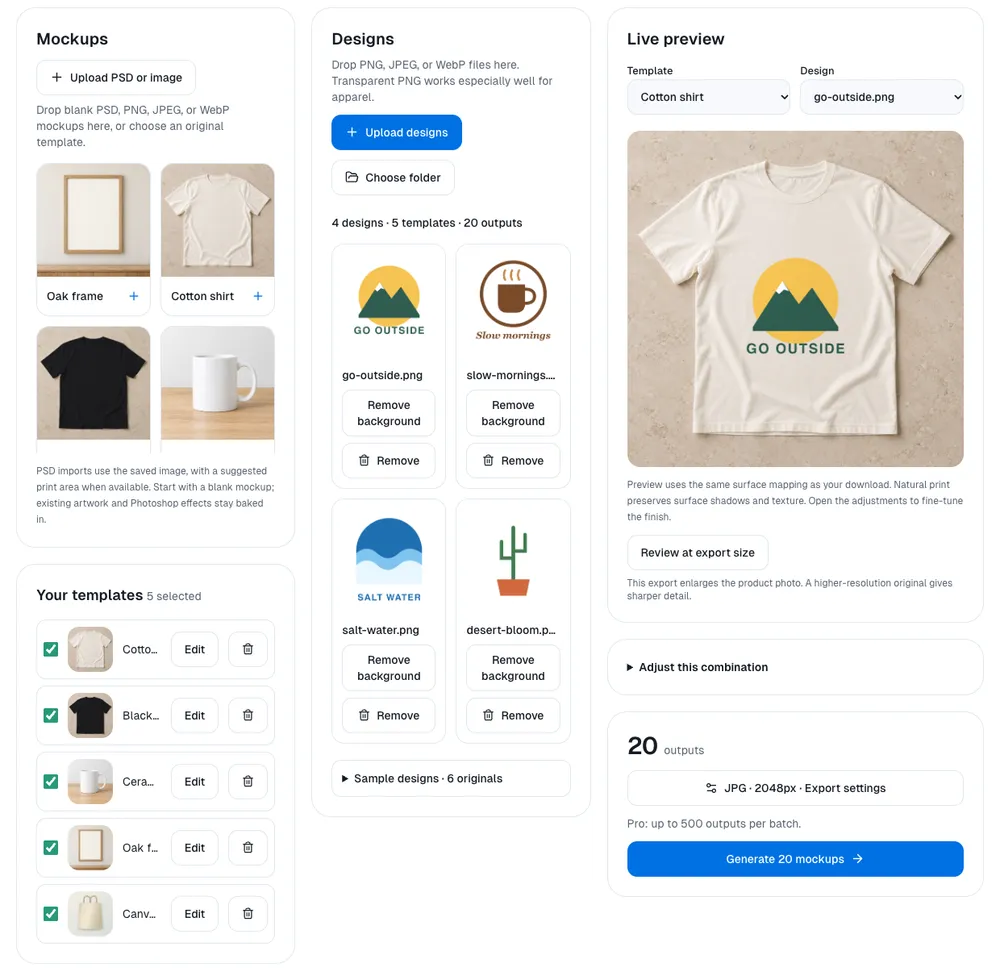
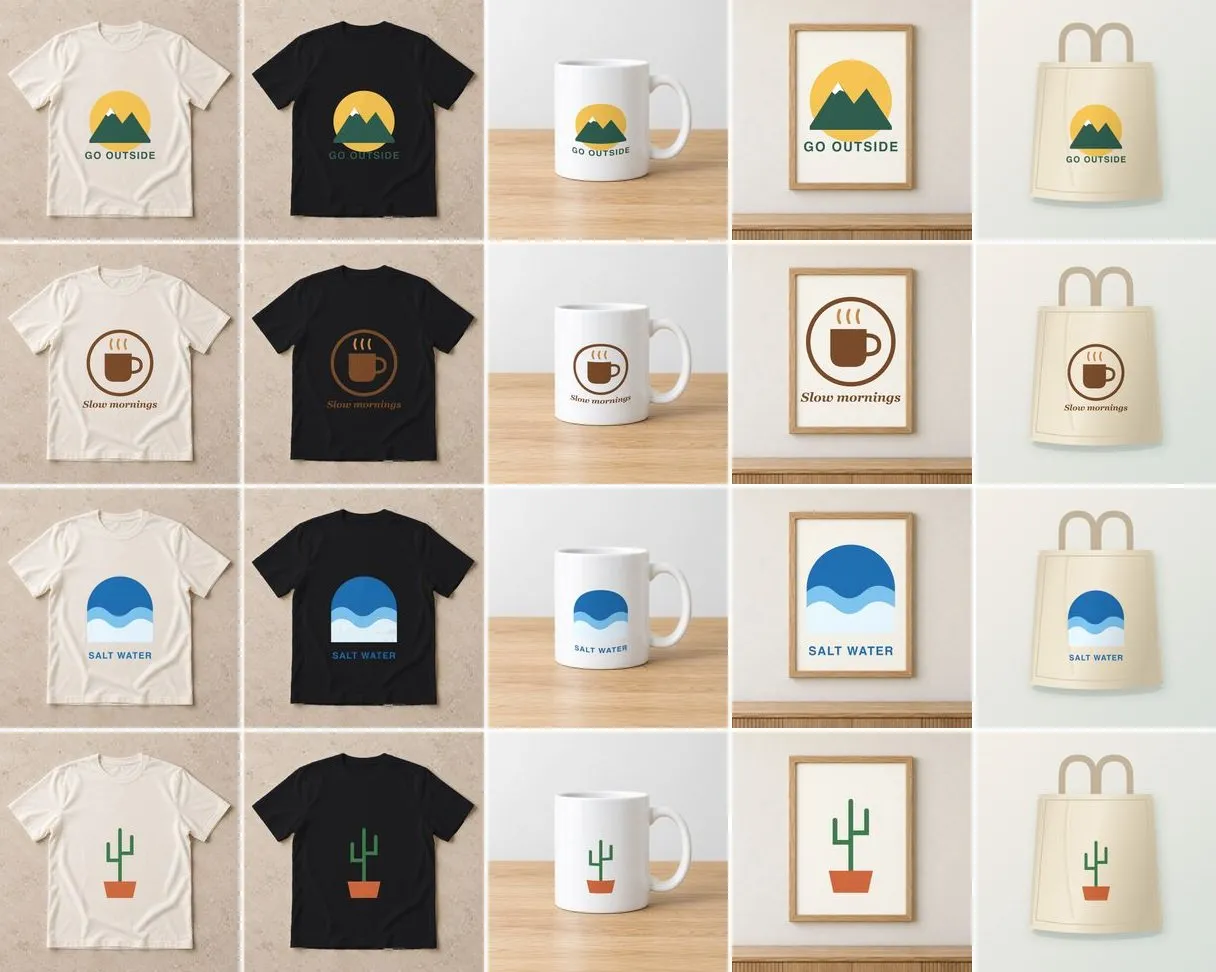
The 20 mockups took 7.4 seconds (Chrome on an Apple M4 Mac, two runs at 7.41 and 7.36 s), with Pro unlocked because 20 is over the free per-batch limit. The ZIP was 8.0 MB: four folders named after the designs, five JPEGs in each, 190-630 KB per file.
What the grid tells you that single mockups don't
- Contrast problems jump out. Look down the black-shirt column: the green “GO OUTSIDE” and brown “Slow mornings” lettering nearly disappear, while the wave and cactus hold up. In a grid you see that in one glance; across 20 separate edits you might not.
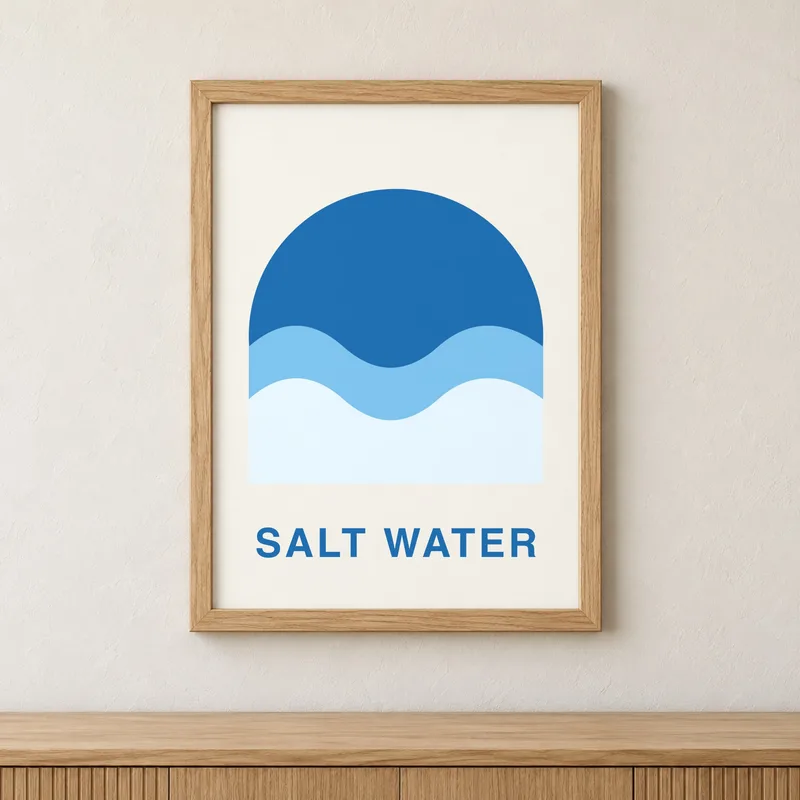
- Each product treats the design differently. The frame fills its mat, so a tall design is cropped to the frame's shape; the mug bends the print around its curve; the shirts and tote pick up fabric shading. Check one design on each product before running a large batch.
- Consistency is free. Every design sits in the same spot on the same scene, which makes a shop page look like one collection.
Doing it on the free tier
The free tier makes 5 mockups per batch and about 20 a day in one browser, with no watermark. Five products is exactly one design per batch, so the same 20 mockups are four free batches of one design each, downloaded one image at a time, and that uses the day's free allowance. That is a real way to list a few designs a day. For a drop of 30 or 40 designs, Pro runs up to 500 per batch with no daily cap and the ZIP above; it is sold as Pro Lifetime (one payment) or Pro Annual (yearly, with Cloud Space to keep the same template set on another device). See pricing.
Tips for an Etsy mockup set
- Use transparent PNGs. A design on a white background prints its rectangle on every product. If that is all you have, see transparent PNG at 300 DPI for what removing it does and what to check.
- Match the template set to the listing. Deselect products you do not sell for a design; each one is an output.
- Use your own blanks for your main photo. The starters are a quick consistent set, but they are generated scenes at 1,254 px, and the 2,048 px export is enlarged from that. A high-resolution photo of the exact blank you ship is the strongest listing image and gives real 2,000 px detail. Upload it once and mark its print area.
- Keep the default file names.
{design}-{template}sorts by design, which is how you upload to a listing.
Frequently Asked Questions
How do I make Etsy mockups in bulk?
Open the Etsy mockup generator, keep the products you list selected (it starts with a cream shirt, a black shirt, a mug, an oak frame and a tote), add a folder of transparent PNG designs and press Generate. Every design is placed on every product, so 4 designs on 5 products make 20 mockups. Pro downloads them as one ZIP with a folder per design.
How many mockups can I make for free?
A free batch makes up to 5 mockups, which is one design on five products, and a browser can make about 20 free mockups a day (the count resets at midnight). Pro makes up to 500 per batch with no daily cap.
What size should Etsy listing photos be?
Etsy's help centre recommends listing photos at least 2,000 px wide and 2,000 px tall, and a listing can hold up to 20 photos (both checked November 2026). The mockups here export at 2,048 x 2,048 by default, but the starter scenes are 1,254 px, so for a sharp main photo use your own high-resolution product photo as the template.
Can I use mockups made with Backgroundless in my Etsy listings?
Yes. The starter scenes are original images generated or drawn for Backgroundless, and output images carry no usage restriction from us. Your designs and any product photos you upload must be yours to use.
Keep Reading
- T-Shirt Mockup Without Photoshop - one design on five shirt colours
- How to Make Mockups in Bulk - your own product photos and PSDs
- Transparent PNG at 300 DPI - is the file big enough to print?
- Poster mockup generator - for wall-art shops
From design to T-shirt listing in three steps
- 1
Remove the background
Drop the design into the remover and download it as a transparent PNG. It runs in your browser, so unreleased designs are not uploaded. Use a desktop for print files: phones and low-memory computers work on a copy of about 2 megapixels.
Remove background free - 2
Check the print size
Print quality depends on pixels, not on the DPI number saved in the file. Pick the PNG you downloaded to see how large it prints at 300 DPI against a 12 x 16 in front print.
Read in your browser; nothing is uploaded.
Pick the file or type its size to see the print size.
- 3
Put it on T-shirt mockups
Add the same PNG to the T-shirt mockup generator: five shirt colours are ready, 5 mockups per free batch, no watermark.
Make T-shirt mockups