Canva Bulk Create Alternative: CSV to Designs, Free
One template, one spreadsheet, one design per row - without a Canva Pro plan and without uploading your product photos.
Quick Answer: Canva Bulk Create is a paid-plan feature that runs on desktop only. For a free alternative, open Design Variations in Backgroundless Studio, build a template, import a CSV, and bind each text or image element to a column. You get one design per row, rendered in your browser. Free makes 5 designs per batch with no watermark; Pro makes up to 500 per batch and adds ZIP and editable PSD export.
Bulk Create is one of the most useful things in Canva: you lay out a design once, connect a spreadsheet, and get a page per row - price cards, event badges, product promos, localised ads. According to Canva's own help page, it is available on Pro, Teams, Business, Enterprise, Education and Nonprofits plans, on desktop only. If you are on Canva Free, or the job is product photos you would rather not upload, here is the same workflow done differently.
How it works: template, CSV, batch
- Add your images. In Studio, drop product photos into the project. They stay in your browser and can be reused by every Studio tool.
- Build the template. Set the canvas size and background, then add text, image and shape elements. Each element can be positioned by dragging or by exact percentages, with a minimum font size so long text shrinks instead of overflowing.
- Import a CSV. Any spreadsheet saved as CSV or TSV works. The first row is the column names.
- Bind elements to columns. A text element reads its words from a column; an image element reads a filename from a column and picks that photo from the project; colour and visibility can be driven by columns too, so one template can hide a "Sale" badge on rows that are not on sale.
- Generate, review, correct. Every row becomes one design. Open any output at full size; if one needs a tweak, Correct output edits just that design and re-renders it.
The CSV from our test, trimmed to four rows:
headline,image,price
Run lighter this spring,sneakers.jpg,$89
Built for the long run,sneakers.jpg,20% off this week
A scent for slow mornings,glass-perfume.jpg,$64
Gift it before Friday,glass-perfume.jpg,Free gift wrap
There is also a second mode, every row × selected image, for when the same copy should run on several photos: three headlines across ten products gives thirty designs without writing thirty rows.
A real 8-row test
We built a plain 1080 × 1080 promo template - a headline, a product photo and an offer line - and fed it an 8-row CSV across four product photos from Pexels. All 8 designs rendered in 0.86 seconds in Chrome on a 10-core Mac. These are the actual files, downscaled:
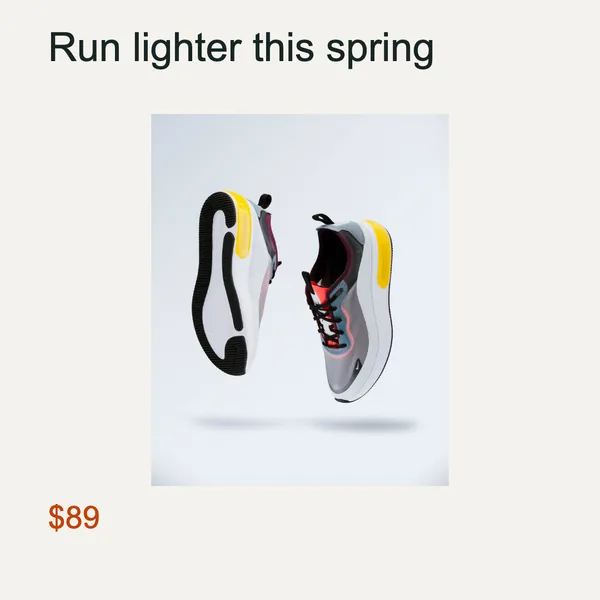
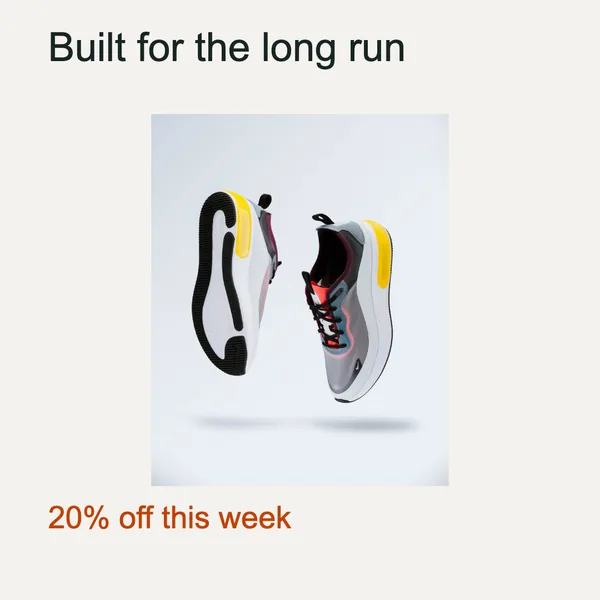
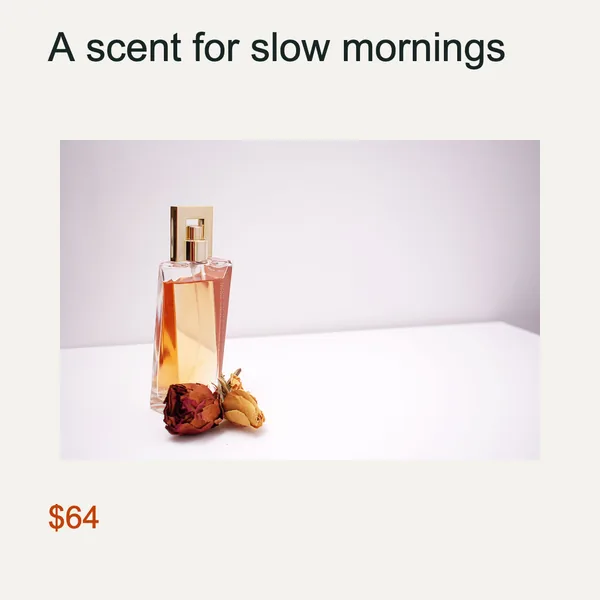
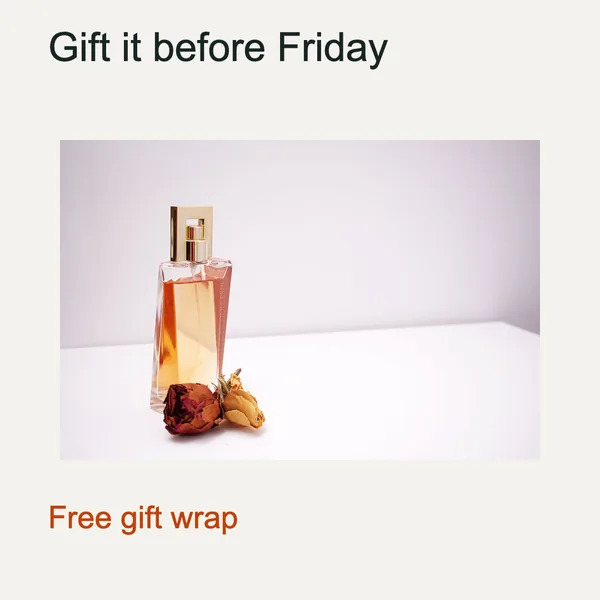
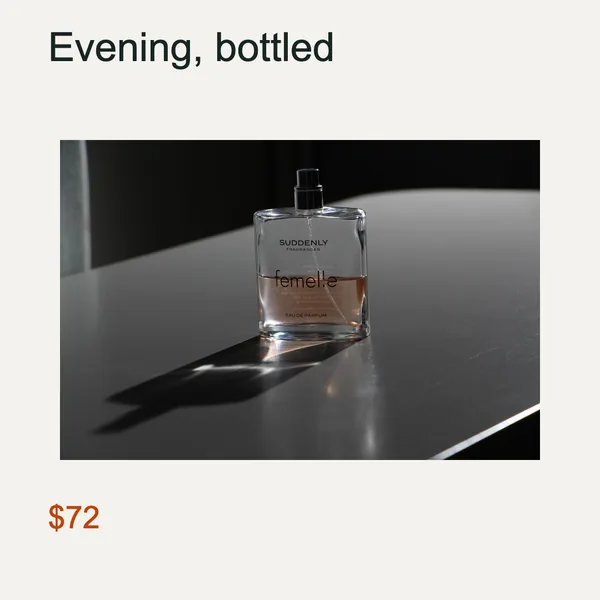
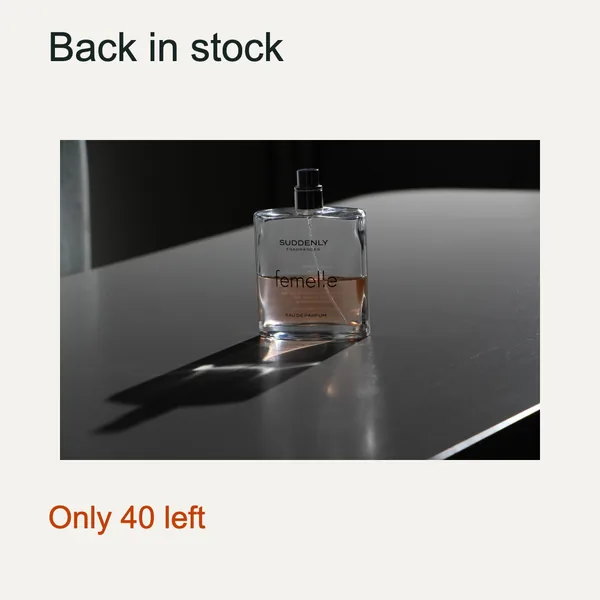
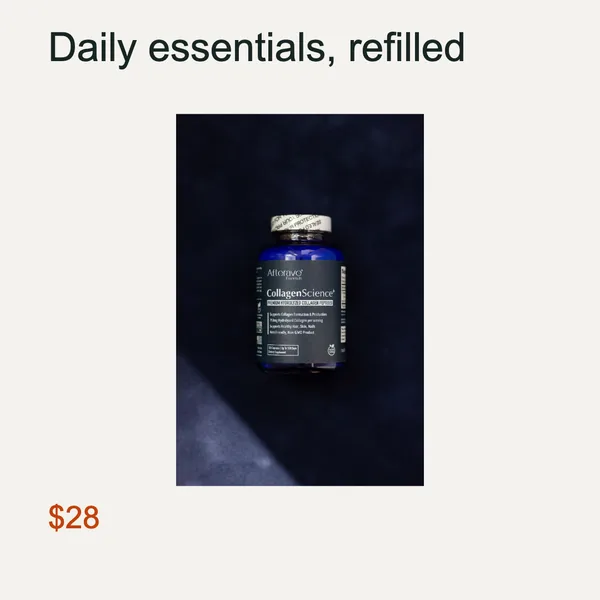
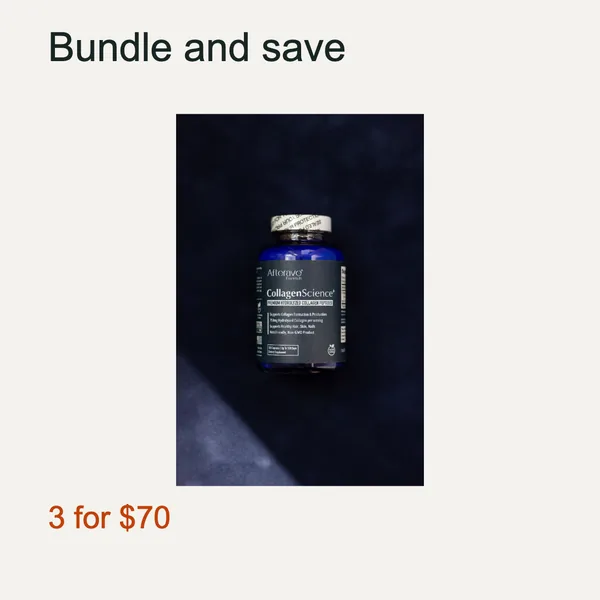
- Binding by filename just worked. Each row picked up the right photo from the project with no image URLs or embedded pictures in the sheet.
- Mixed photo shapes show up as letterboxing. The image element was set to keep the whole photo, so the landscape perfume shots sit in a wide band while the portrait sneaker shot sits in a narrow one. If you want every design to look identical, switch the image to cover and set its focus point, or crop your photos to one shape first.
- Plain text, set on purpose. The test used a system font and no styling to keep it reproducible. You can add your own font file locally; it is stored with the project, not uploaded.
Canva Bulk Create vs Design Variations
| Canva Bulk Create | Backgroundless Design Variations | |
|---|---|---|
| Plan | Paid plans; desktop only | Free (5 per batch) or one-time Pro (500 per batch) |
| Data sources | CSV, XLSX, Canva Sheets, data apps, manual entry | CSV or TSV |
| Images per row | Embedded in Canva Sheets or XLSX; image URLs are treated as text | A filename in a CSV column, matched to project images |
| Where it runs | Canva's cloud editor | Your browser; files stay on your device |
| Templates | Huge professional library | Build your own (text, image, shape) |
| Export | Canva's download formats | PNG, JPG, WebP; Pro adds ZIP and editable PSD |
Canva details are taken from its help center on 9 October 2026; check the current page before deciding, since plans change.
When Canva is still the better choice
Be honest about the trade. Canva wins when you want a polished template you did not have to design, when a team needs to edit the same file together, or when your data already lives in Canva Sheets or a connected app. Its AI field matching also saves a few minutes on complex layouts. Design Variations wins when the content is product photos you would rather keep on your machine, when you are not on a paid plan, or when the same template has to go on to other formats - the template and CSV carry straight over to Campaign Sizes to produce square, story and banner versions of every row.
Frequently Asked Questions
Is Canva Bulk Create free?
No. Canva's help center lists Bulk Create for Canva Pro, Teams, Business, Enterprise, Education and Nonprofits users, on desktop only. Canva Free does not include it.
What is a free alternative to Canva Bulk Create?
Backgroundless Design Variations does the same core job in the browser: build one template, import a CSV, and get one design per row. Text, images, colors and visibility can each come from a column. The free tier makes up to 5 designs per batch with no watermark; a one-time Pro license raises that to 500 per batch with ZIP and PSD export.
How do I add a different image to each row?
Add the images to the project, then put each image's filename in a CSV column, for example "sneakers.jpg". Bind the template's image element to that column and every row picks up its own photo. No image URLs and no embedding images inside a spreadsheet are needed.
Can I fix one design without regenerating the whole batch?
Yes. Open the output, choose Correct output, change its text or layout, and save and re-render. Only that design is rebuilt, and the correction stays attached to it in the saved batch.
How many rows can one CSV have?
Up to 500 rows per CSV, which matches the Pro limit of 500 outputs per batch. Split larger sheets into several batches. On the free tier a batch is limited to 5 outputs.
Keep Reading
- Resize One Design to Every Social Media Size - the same template in six formats
- How to Make Mockups in Bulk - every design on every product photo
- Canva Magic Layers Alternative for Photos - when a design tool is the wrong tool for a photo
- Bulk Background Removal: Download Checklist - clean product cut-outs before they go in a template
Turn a spreadsheet into designs
Free, no watermark, no upload. Starts with a sample project you can edit.
table_viewOpen Design Variations