Amazon Main Image Requirements (2026)
The rules checked against Seller Central, the four numbers most guides repeat wrongly, and what happened when we ran four real product photos through them.
Quick Answer: An Amazon MAIN image needs a pure white background (RGB 255, 255, 255), the product filling about 85% of the frame, 500 to 10,000 px on the longest side (1,000 px or more for zoom), JPEG/TIFF/PNG/GIF, and nothing added: no text, logos, watermarks, borders, props or extra accessories. A shadow or border touching the edge, or a halo left by background removal, can also get the listing suppressed. To test your photos, use the free Amazon image checker.
The MAIN image is the one shoppers see in search results, and it is the only image Amazon holds to its strictest rules. The details below come from Amazon's own product image requirements and the suppression checks attached to them, which we last verified on 22 August 2026. Where a figure is not on an Amazon page, we say so.
The requirements, in one table
| Rule | Requirement | If you miss it |
|---|---|---|
| Background | Exactly RGB 255, 255, 255 | Suppression |
| Frame fill | Product fills about 85% of the image | Suppression |
| Longest side | At least 500 px, at most 10,000 px | Upload rejected |
| Zoom | Enabled from 1,000 px on the longest side | No zoom below it |
| Formats | JPEG, TIFF, PNG, non-animated GIF | Upload rejected |
| Borders | None on any edge, not even 1 px | Suppression |
| Shadow at the edge | A shadow must not run off the frame | Suppression |
| Cut-out halo | No leftover outline from background removal | Suppression |
| Content | No text, logos, watermarks, props or non-included accessories | Suppression |
Two of these catch sellers who believe they did everything right. "White" means one exact value: a studio backdrop that looks white on screen often measures as light grey or faintly warm, and a JPEG can leave a pale fringe around the product. And borders and edge shadows are separate triggers - a soft drop shadow that runs off the bottom of the frame can fail an image whose background is otherwise perfect.
Four numbers most guides get wrong
| Widely repeated | What Amazon actually says |
|---|---|
| "Minimum 1,600 px" | The minimum is 500 px; zoom starts at 1,000 px. The 1,600 figure traces back to an old apparel guide where it applied to height. |
| "Must be square 1:1" | No aspect-ratio rule exists. Amazon pads non-square images to square on its own. |
| "10 MB per image maximum" | Not stated on any current Amazon help page. Keep files reasonable, but do not cite 10 MB as a rule. |
| "Product fills 80%" | The figure attached to the current suppression check is 85%. |
None of these are harmless. A seller who believes 1,600 px is the floor may reject usable photos; one who believes 80% is enough may ship images that fail the fill check. A practical target that clears every real rule is a 2,000 × 2,000 px JPEG on exact white, with the product at 85% of the frame and centred.
What happened to four real product photos
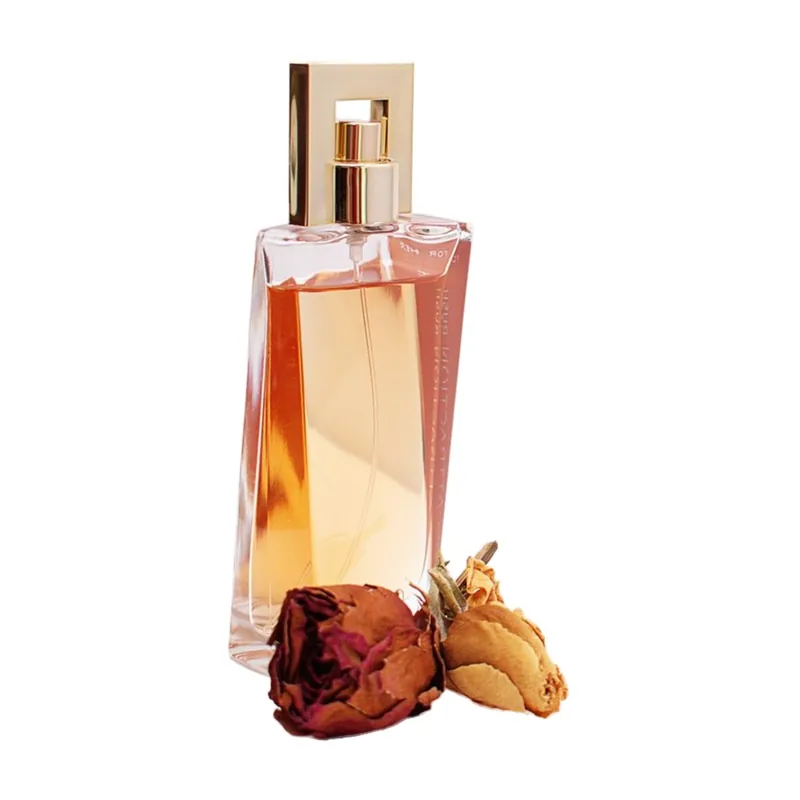
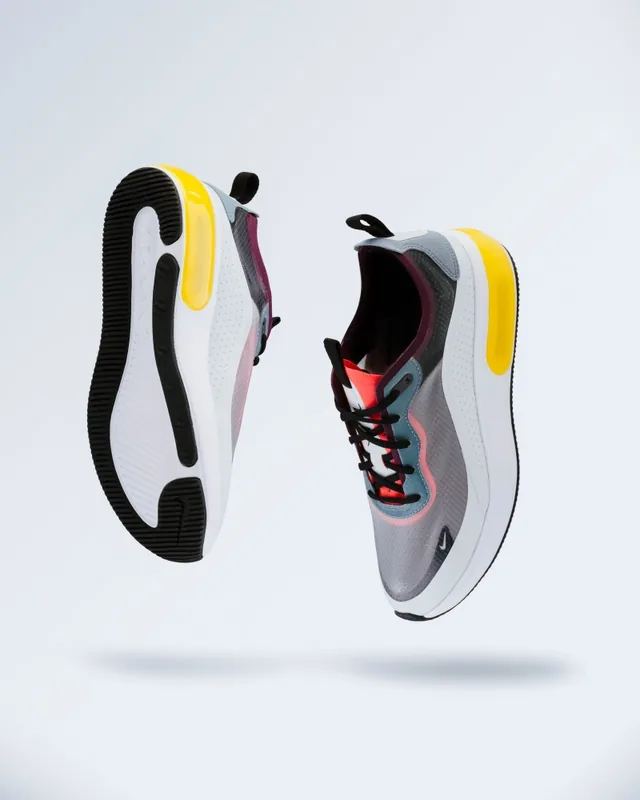
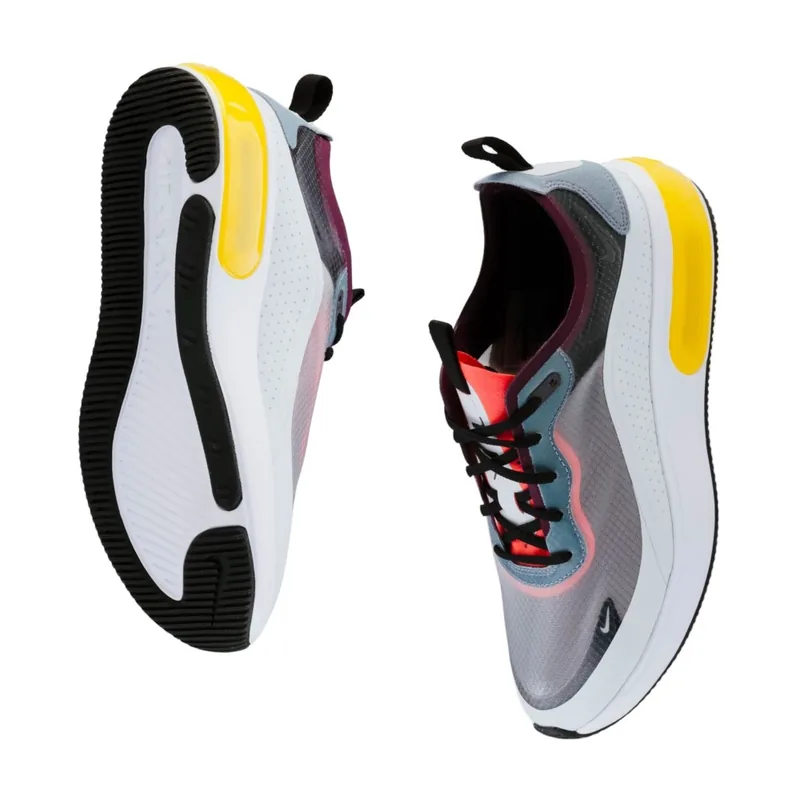
We dropped four Pexels product photos - each with a different problem - into Catalog Studio and pressed Start once, with no manual edits. It cut each product out, placed it on exact white at 85% fill in a 2,000 px square, and re-audited the result. All four passed every measurable Amazon MAIN check. After the cut-out model's first load, each photo took about 3.5 seconds in Chrome on a 10-core Mac.
Dark backdrop
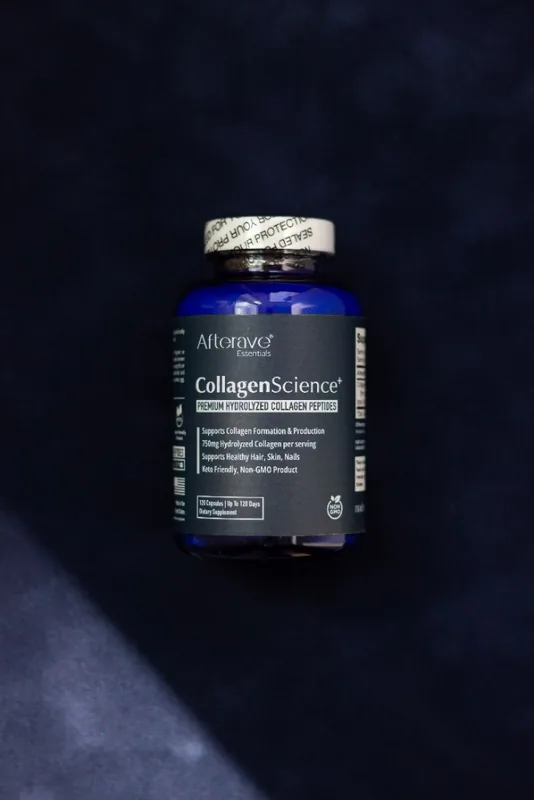
Original
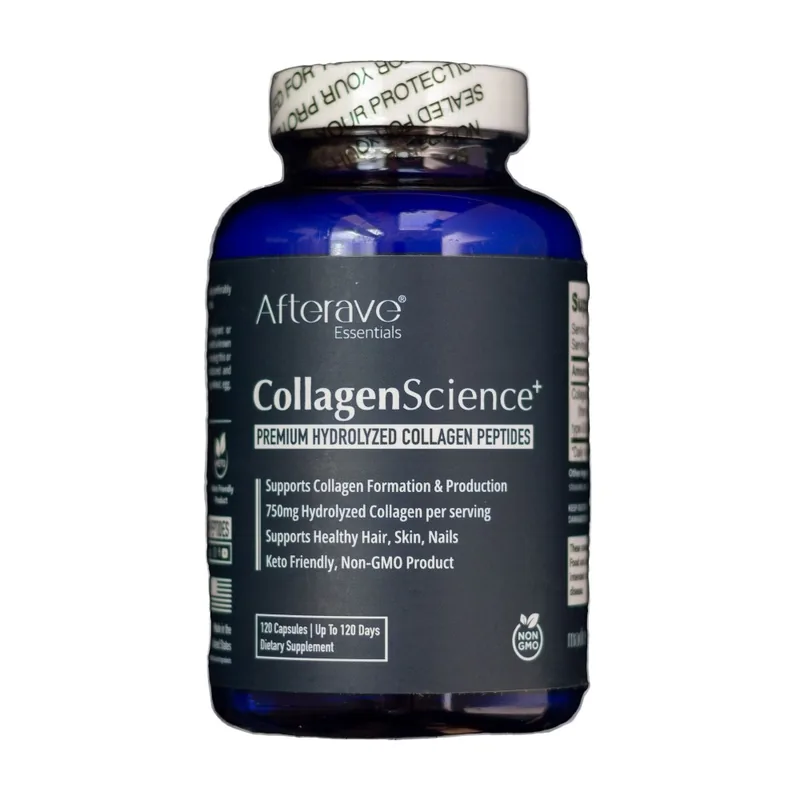
Amazon MAIN export
Glass + cast shadow
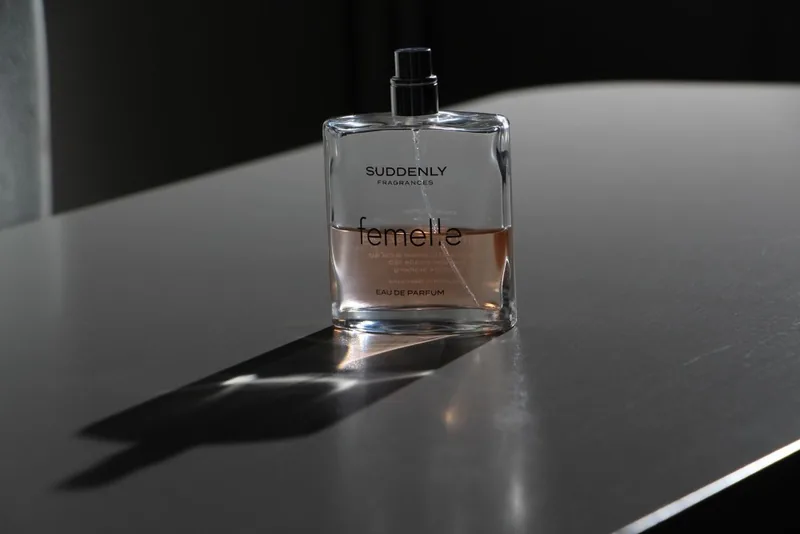
Original
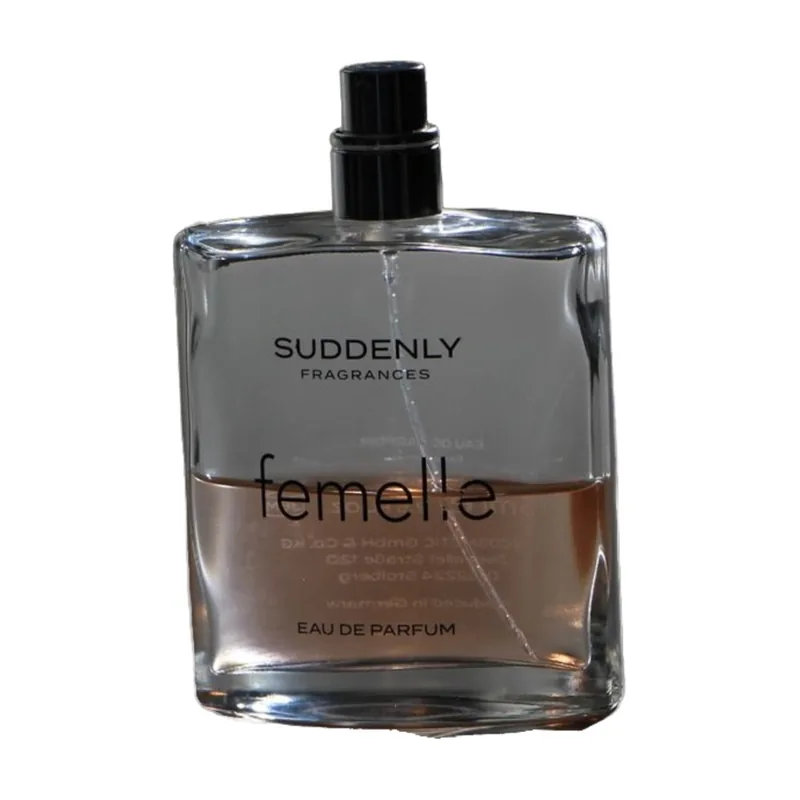
Amazon MAIN export
Props in shot

Original
Amazon MAIN export
Grey backdrop
Original
Amazon MAIN export
"Passed every measurable check" is not the same as "ready for Amazon", and two of the four show why:
- The dried roses are a prop. The amber perfume scored 100 on every pixel check, because roses on a white background are still on a white background. Amazon's MAIN rules exclude props, and no software can tell a decorative rose from part of the product. That is why the checker shows a manual content confirmation on every image instead of passing it silently. Re-shoot or crop the product alone.
- Glass keeps its old surroundings. The clear bottle was photographed on a dark table, and the table is still visible through the glass. The cut-out is correct - that grey is inside the bottle - but it looks heavier than the same bottle shot on white. For glass and other transparent products, shooting on white beats fixing it afterwards.
- Dark and grey backdrops are the easy case. The supplement on navy fabric and the sneakers on grey came out clean, and both were enlarged to fill the frame - the sneakers were small in the original, which is exactly what the 85% rule is about.
A pre-upload checklist
- Measure the white, do not eyeball it. Run the photo through the Amazon image checker or sample the corners in an editor: every background pixel should read 255, 255, 255.
- Check the edges. No border, no shadow running off the frame, no grey line along one side from a backdrop seam.
- Check the fill. The product should take up about 85% of the frame - tight, but not touching the edge.
- Look for a halo. Zoom in on the product outline against white. A faint coloured rim is leftover background, and Amazon names background-removal artifacts as a suppression cause.
- Remove everything that is not the product. Props, hands, packaging that is not included, added text, badges and logos all belong in the other image slots, not the MAIN image.
For a whole catalogue at once, Catalog Studio audits a folder or ZIP and builds the Amazon export, plus Shopify, Etsy and eBay versions. Give it your product IDs and it names files the way Amazon's bulk image upload expects - period-separated, like ASIN.MAIN.jpg, because an underscore stops the upload. The free tier audits up to 10 photos and finishes one product; Pro processes up to 500 per batch. For the photography and background side of the job, see the ecommerce product photography guide and how to change a photo background to white.
Frequently Asked Questions
What are Amazon's main image requirements?
The MAIN image must show the product on a pure white background, RGB 255, 255, 255, with the product filling about 85% of the frame. It must be JPEG, TIFF, PNG or non-animated GIF, at least 500 pixels and at most 10,000 pixels on the longest side, and should be at least 1,000 pixels for zoom. No added text, logos, watermarks, borders, props or accessories that are not included with the product.
What size should an Amazon main image be?
Amazon accepts 500 to 10,000 pixels on the longest side and enables zoom from 1,000 pixels. A 2,000 × 2,000 pixel square is a practical target: comfortably above the zoom threshold, and square without cropping because the product is centred on white. Amazon does not require a square image, but it pads non-square images to square itself.
Does an Amazon main image have to be square?
No. There is no aspect-ratio requirement in Amazon's product image rules. Square is simply the tidiest way to deliver it, because Amazon displays the image in a square slot and pads anything else.
Why was my Amazon main image suppressed?
The common causes are a background that looks white but is not exactly RGB 255, 255, 255; a product that fills too little of the frame; a shadow or border that reaches the edge of the image; a leftover halo from background removal; and props or added text. The listing quality alert in Seller Central usually names the check that failed.
Is there a free Amazon image checker?
Yes. The Backgroundless Amazon image checker measures resolution, background whiteness, frame fill, centring, edge contact and halo risk for up to 10 photos, in your browser. Rules that cannot be judged from pixels - props, misleading text, accessories - are shown as manual checks rather than passes.
Keep Reading
- Amazon Product Image Checker - test up to 10 photos against these rules, free
- Ecommerce Product Photography Background Removal - Amazon, eBay, Etsy and Shopify side by side
- Change a Photo Background to White - the exact-white step on its own
- Bulk Background Removal: Download Checklist - for when the catalogue is hundreds of photos
Check your Amazon photos before you upload
Free, private, in your browser. Up to 10 photos at a time.
fact_checkOpen the Amazon image checker